Buying a Cosplay Set: How to Check What Is Included
Compare clothing and accessory options using real Rengoku and 14th Doctor examples, then check your exact selection before checkout.
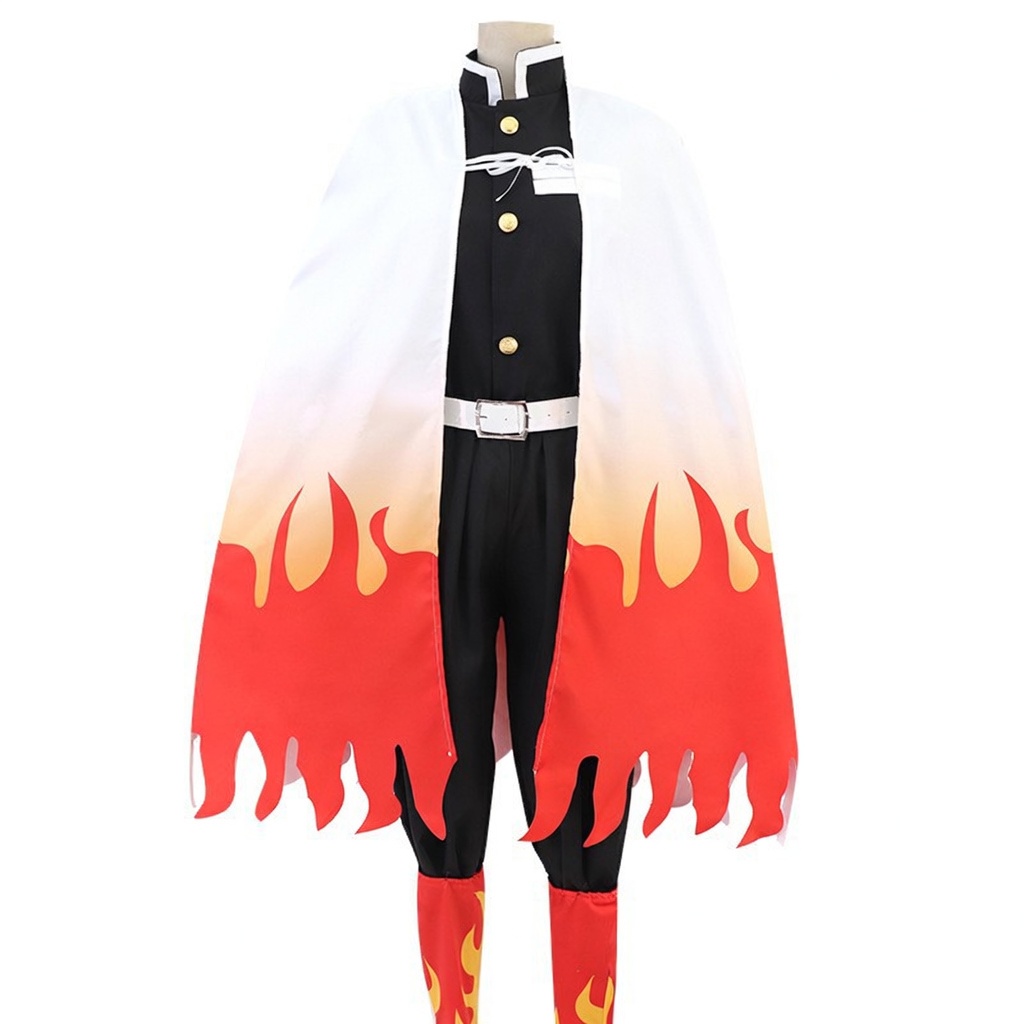
A character photo can show a complete look while the selected option covers only part of it. Before buying a cosplay set, separate the costume itself from the accessories you want to add. The option name and the listed contents should agree before you place the order.
Start with the clothing you need
Write down the main outfit pieces you are looking for, then put wigs, footwear and props on a separate list. Mark anything you already own. This keeps the clothing at the centre of your plan and helps you avoid buying a second accessory you do not need.
Open the product’s Style / Color selector, or its style selector where one is provided. The label may describe a bundle rather than a colour. Select the exact option before reviewing the displayed price and adding it to your cart.
Example: the Rengoku costume has several accessory combinations
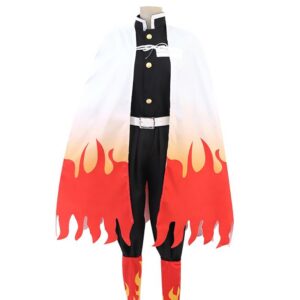
The Demon Slayer Kyojuro Rengoku costume currently lists these choices. The names below refer to options on this particular product, not a rule for all Demon Slayer costumes.
- Kyojuro Rengoku: the base costume option. Do not assume the separately named add-ons are included.
- Kyojuro Rengoku + Wig: the option that explicitly adds a wig.
- Kyojuro Rengoku + Wig + black tabi socks: adds the named wig and socks.
- Kyojuro Rengoku + Wig + black tabi socks + Geta red pair: explicitly names the wig, socks and a pair of red geta.
These accessory combinations also match the supplier’s original option list checked for this guide. The bundle label does not, by itself, enumerate every garment or small attachment within the base costume. If a particular belt, fastener or other detail matters to your look, ask us to confirm it for your selected option.
Example: a coat listing can also offer a multi-piece set
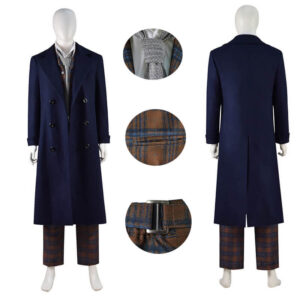
The 14th Doctor costume currently offers Only Coat, Waistcoat+Trousers and Full Set. These choices serve different shopping needs: the coat option may be relevant if you already have the rest of your outfit, while the other choices need their own contents check.
Do not apply a general description of the full outfit to the Only Coat option. Likewise, do not read “Full Set” as a promise that every item visible in every photograph comes with the order. Ask for the itemised contents when the selected option’s description leaves a detail unclear.
Before adding the costume to your cart
- Check the exact option. Read the complete style name, including the words after each plus sign.
- Check the garment size separately. An accessory bundle does not explain how the clothing fits.
- Check footwear requirements. If you choose an option containing shoes and the page requests a shoe size, provide the size and sizing system requested. A clothing size such as M is not a shoe size.
- Check the selected price. Compare the option you actually intend to buy, rather than a starting price for a different combination.
- Review your cart. Confirm that the chosen style and size are the ones you intended before continuing.
What to ask when a photo and a label leave room for doubt
For (product link) in (exact option), please confirm the included garments and accessories. In particular, is (item shown in photo) included, sold separately, or used only for styling?
Use the HEROCOS contact page for an unclear inclusion list. You can explore more Demon Slayer costumes or read our shopping help before choosing your set. Product options can change; the current listing and confirmation for your exact selection take priority over an older guide.
EXPLORE THE COSTUMES
Mentioned in this guide
View the current options, size information and selected price on each product page.