Custom Size or Custom Design? What to Confirm Before Ordering
Separate body measurements from changes to a costume design, and use the custom-size form for the selected item.
“Custom” can describe two different requests: making a listed costume to your measurements, or changing the costume’s design. Decide which you need before ordering. Entering body measurements answers a sizing question; it does not by itself confirm a different fabric, colour, cut or set of included pieces.
Separate a fit request from a design change
A fit request concerns the wearer and the selected garment: the measurements to use, the intended layers and any sizing detail that needs clarification. A design request changes what is being made. Asking for a different collar, extra pockets, a new colour or a different outfit from a reference image needs a separate feasibility discussion.
Some requests sit between the two. A desired coat length, for example, needs both a number and clear start and end points. Explain the result you want and ask whether it can be accommodated for that specific costume. Do not assume a free-text note automatically changes the agreed design or price.
Use the custom option on the actual product
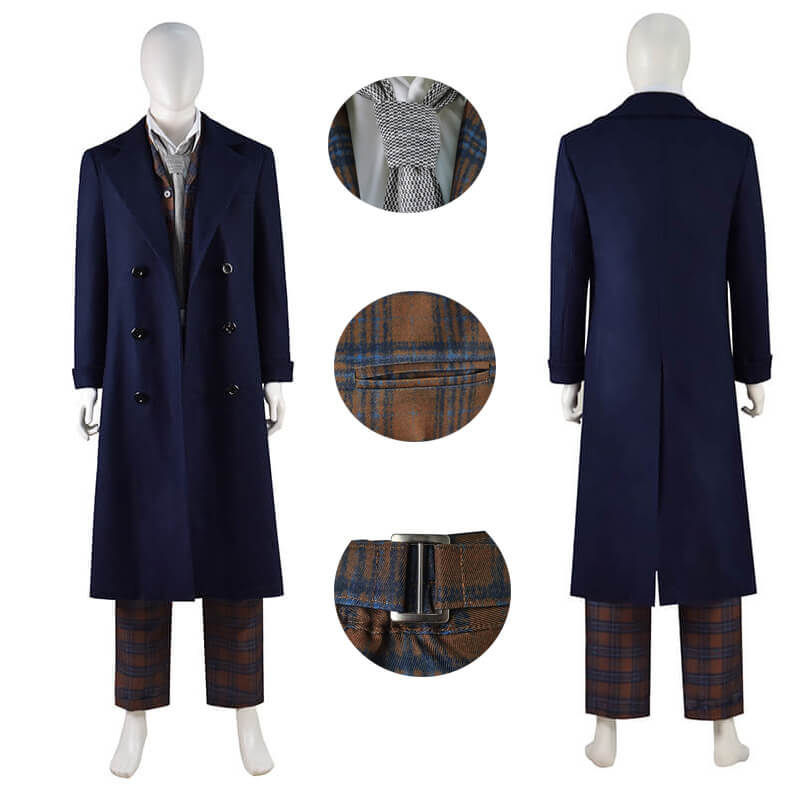
The 14th Doctor costume listing currently offers a custom size alongside standard sizes. Selecting it reveals the measurement form. You still need to choose the clothing style, such as Only Coat or Waistcoat+Trousers, so that the measurements stay associated with the pieces you intend to order.
The form asks for height, chest or bust, waist, hips, shoulder width and arm or sleeve length. It also has optional inseam, desired garment length and notes fields. Follow the directions beside the fields and check the centimetres or inches selector. Use the measurement guide for the separate task of preparing your numbers.
These fields describe the current form on a product that offers custom sizing. They are not evidence that every costume in the catalogue can be made to measure, or that every requested alteration can be produced. If your selected product has no custom option, ask before treating a standard-size order as a custom request.
Write an enquiry that distinguishes the two
Keep your request in two short parts so the reply can address each one:
Fit: I am considering (product link) in (selected style), with custom sizing. I plan to wear (underlayers). Please confirm which measurements and any additional details you need.
Design: I would also like (specific change). Is this possible for this item? Please confirm the scope, any price difference and preparation time before I order.
A reference image helps explain a design request, but describe the exact detail to change. “Like this picture” may leave the neckline, length and accessories open to interpretation. Keep the reply with your product selection so you can distinguish an accepted change from a question still awaiting an answer.
For the optional garment-length field, state where the measurement begins and ends. For notes about layering, describe what you will wear rather than adding an arbitrary amount to every body measurement. Ask when a measurement method is unclear.
Review the item before completing the order
Confirm the clothing style, custom size selection, measurement unit and entered numbers together. The form explains that each quantity of the same item uses the same measurements. If you are ordering for another person, add their costume separately with their own measurements. To change measurements in the bag, follow the form’s instruction to remove that item and add it again.
Resolve design questions before ordering, and check the current preparation and delivery information against your plans. For a request beyond the listed options, contact HEROCOS with the product link and the precise change. A clear agreement about the garment is as important as a careful set of measurements.
EXPLORE THE COSTUMES
Mentioned in this guide
View the current options, size information and selected price on each product page.