Your New Cosplay Costume: An Arrival Photo Checklist
Record the costume pieces, labels and details clearly before styling or alterations, so product questions are easier to explain.
When a new cosplay costume arrives, take a few clear reference photographs before styling, cleaning or altering it. A simple arrival record helps you identify the pieces, remember how they were supplied and explain a question without relying on memory. You do not need a studio setup or a social-media unboxing video.
Start with the order, then the pieces
Keep the product link and the size and style recorded on your order beside your workspace. Unpack onto a clean, uncluttered surface and separate the clothing from loose accessories and packaging. Photograph the pieces together, then individually where one would otherwise hide another.
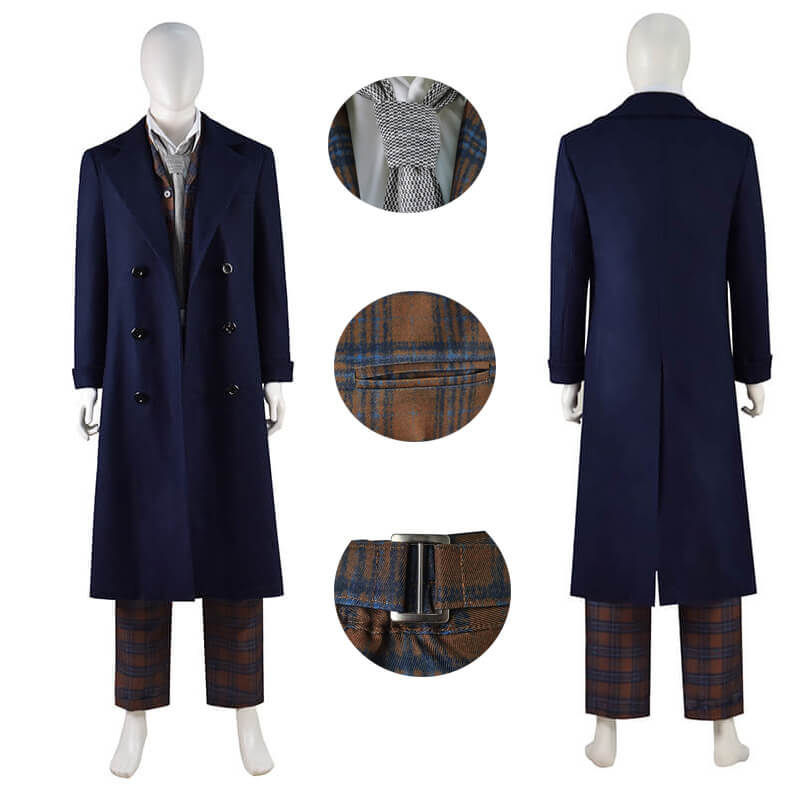
The 14th Doctor costume listing, for example, currently offers “Only Coat,” “Waistcoat+Trousers” and “Full Set” style labels. An arrival record should describe your actual order, rather than treating every item in the product gallery as part of every option. If you cannot match a piece to your selection, note the question before making changes.
Take a small, useful photo sequence
Use even light and a plain background, keeping the whole garment in the frame for the overview shots. Check that the image is sharp before putting the item away. Avoid filters that change colour or hide surface detail.
- Overview: all received costume pieces laid out without overlapping.
- Front and back: each main garment, including the full hem and sleeves where applicable.
- Labels and instructions: any attached size or care information, photographed clearly enough to read.
- A question in context: one wider view showing its location, followed by a close-up of the detail.
A close-up alone can make a seam or fastening difficult to locate. Pair it with the wider view and describe the position from the wearer’s perspective, such as “left sleeve near the cuff.” If a phone struggles to show a dark detail, change the lighting or camera angle rather than assuming a heavily brightened image represents the garment accurately. A photograph is useful context, not a precise colour measurement.
Describe what you observe
Write a short note naming the piece and the question. “The label on the coat says M; my order records L” gives a clearer starting point than “wrong costume.” That is an example of a useful description, not a report about this product.
If your question concerns a dimension, ask which measuring points to use and include the unit. Do not compare a flat garment width directly with a body circumference. Keep the tape visible in a photograph only after the measurement method is clear; our measurement guide explains why body and garment measurements need to be distinguished.
Resolve questions before experimenting
If you notice an unexpected detail, pause before cutting threads, applying heat, washing or changing a fastening. Contact HEROCOS with the order reference, selected option and concise question, and ask how to provide the relevant photographs. Keep shipping labels and other personal details out of any images you share publicly.
For return or exchange requests, consult the current Returns & refunds page; this optional photo routine does not add a requirement to that policy. Once questions are resolved, retain the reference images with your costume notes. They can help you put the outfit together again and identify its components before the next event.
EXPLORE THE COSTUMES
Mentioned in this guide
View the current options, size information and selected price on each product page.